Modern websites
for schools & PTAs.
Replace Educational Networks for $900 a year, flat. Our own PTA's invoices show $3,600 a year for its old site. Update content in seconds — not days. Hosted on Cloudflare, edited like a Google Doc, owned outright by you.
The symptoms
7 signsNod at three or more and you're paying too much for the wrong tool.
What we build
built once, owned by you| # | Feature | What it means |
|---|---|---|
| 01 | Hosted on Cloudflare | The same global infrastructure that runs Shopify and Discord. Free hosting, sub-second load times anywhere, no “premium tier.” |
| 02 | Google-Docs-simple CMS | Volunteers update pages, add events, post newsletters, upload photos. No coding, no support tickets. Changes go live in 30 seconds. |
| 03 | Mobile-first, WCAG 2.1 AA | Every page is responsive and meets the accessibility benchmarks the DOE asks for. |
| 04 | Yours to own, outright | The whole site lives in a GitHub repo under your account — domain, content, all of it. No lock-in: cancel anytime and you keep every bit of it. |
What's included
no upsellsCalendars, donations, galleries, and forms are all part of the base build — not premium add-ons.
How we stack up
feature by featureSame job, three ways to buy it: the incumbent vendor, the DIY builders, and us — line by line. ✓ is included and handled for you; ~ is extra cost or you do it yourself; × isn't on offer.
| What you get | Educational Networks | Wix · Squarespace | Full Stack Tech |
|---|---|---|---|
| Custom design, built for you | ~ | × | ✓ |
| Content migrated from your old site | × | × | ✓ |
| A CMS a volunteer can actually run | × | ~ | ✓ |
| WCAG 2.1 AA accessibility, maintained | ~ | × | ✓ |
| Accessibility auto-checked + DOE-tier scan report | × | ~ | ✓ |
| Mobile-first, sub-second load | × | ~ | ✓ |
| Cloudflare edge hosting | × | × | ✓ |
| Stripe donations in the base price | ~ | ~ | ✓ |
| 0% cut of your donations — your Stripe | ~ | ~ | ✓ |
| Events calendar · RSVP · .ics | ~ | ~ | ✓ |
| Galleries, newsletters, signup forms | ~ | ~ | ✓ |
| Multi-admin — your whole board posts | ~ | ~ | ✓ |
| Ongoing content help, no per-edit fee | × | × | ✓ |
| Predictable price — no surprise upsells | × | × | ✓ |
| You own the code + domain outright | × | × | ✓ |
| Included, done for you | 0 / 15 | 0 / 15 | 15 / 15 |
Not a knock on the builders — they're fine tools for someone who wants a second job. The gap isn't features on a checklist; it's who does the work, who carries the accessibility liability, and who owns the asset at the end.
Scan your current site
the DOE's own yardstickThe NYC DOE grades every school website on a public accessibility report — fewer errors, higher score. Paste your address and we'll run the same checks live, right now. The top-tier vendors sit near zero errors; the DIY builders average 12+. See where yours lands.
Homepage check for the most common barriers — alt text, heading order, link clarity. A full DOE audit goes deeper (every page + color contrast). Nothing stored.
Pricing
one school, one real numberWe rebuilt our own kids' school off Educational Networks. Here's what it was costing them — and what you'd pay instead. At $900 a year it slots in alongside Google Workspace or Notion — a normal line item, not a capital project that needs a board vote.

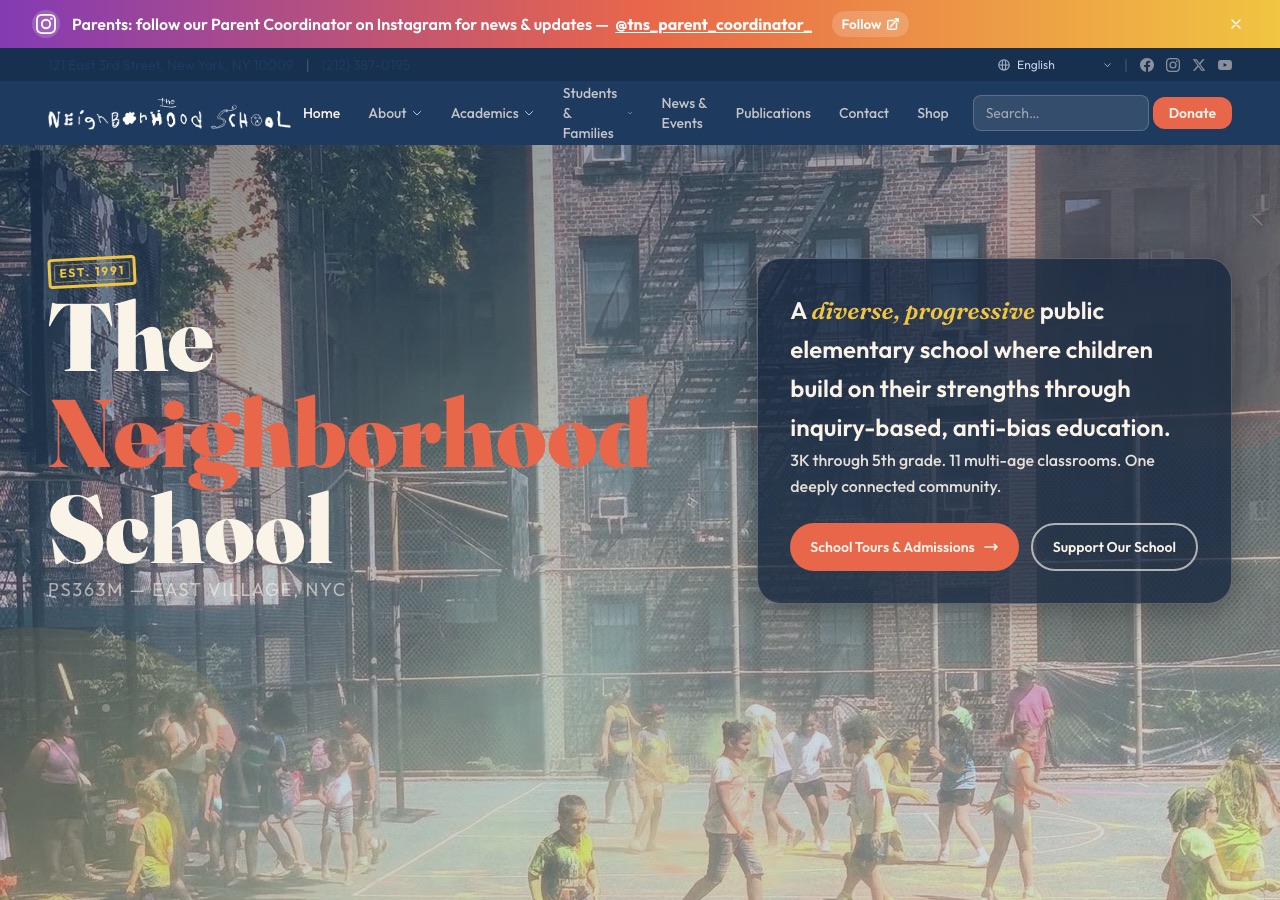
Read the full case study — what the school's own website committee said about the old platform, the invoice-verified numbers, and exactly what changed.
You save $2,700 every year — for a site your board can actually run, on a phone, with no premium-feature upsells.
- The full custom build + content migration from your old vendor
- Cloudflare hosting, weekly backups, uptime monitoring
- A Google-Docs-simple CMS your whole board can run
- Ongoing content help and edits — no per-request fees
- Cancel anytime — no lock-in; your $900 rate is locked for three years
- You own the domain, the site, and the content, outright
Title I or high-need public school? 1 in 5 schools we run pays nothing — funded by the schools that can. Ask if yours qualifies.
Want the AI that answers parents for you? Add Hosted Plus — a self-running support inbox, translations, and content updates on top of the base. Ask on the call.
Bigger K–12 school or a multi-site network? We scope those custom — just ask on the call.
Want to own the infrastructure?
hosted vs. self-hostMost boards take the hosted plan above — set it and forget it, because we keep it running. Some want the whole stack on their own Cloudflare account, keys and all. And if you want true zero-maintenance, there's a static build with nothing to break. Three ways to run it — and a clear map of which features are genuinely set-and-forget versus which need upkeep.
Process
four weeks, start to launch| When | Step | Detail |
|---|---|---|
| Week 0 | Discovery call (20 min, free) | What's working, what isn't, and what's actually possible in your budget. |
| Week 1 | Proposal + agreement | A one-page agreement: what you get, when it ships, $900/year, cancel anytime. No upfront build fee, no lock-in. |
| Weeks 2–4 | Design & build | Weekly check-in. You watch progress in a private preview link the whole time. |
| Week 3 | Content migration (parallel) | We pull everything from your old site so nothing is lost. |
| Week 4 | Training + launch | 2-hour live training. Site goes live. Old vendor cancellable the same day. |
| Year-round | Support, included | Hosting, backups, monitoring, content help, and edits — all part of $900/year. No surprise upsells. |
Why not Wix or Squarespace?
DIY vs. done-for-youThe builders are cheaper on paper — and that's the trap. They sell a school a tool and a second job. Here's what the $900 actually buys that a DIY subscription can't.
| What matters | Wix · Squarespace · Webflow · Weebly | Full Stack Tech |
|---|---|---|
| Who builds it | You do — a volunteer starts from a blank editor. 40+ hours, and it shows. | We do — custom design plus full content migration from your old site, included. |
| Accessibility (WCAG / DOE) | Your liability, re-checked on every volunteer edit. | Built in and kept that way — the WCAG 2.1 AA benchmark the DOE asks for. |
| When the volunteer leaves | The know-how graduates with them. The site goes stale. | We keep it running — content help and edits are part of the $900. |
| Donations, calendar, forms | Higher tiers and third-party plugins, billed separately. | In the base build. Stripe donations land straight in your PTA's account. |
| Who owns it | You rent forever; your content is locked in their proprietary editor. | Yours outright — a GitHub repo and domain under your name. |
| When something breaks | A help-center article and a community forum. | A person who already knows your site, before the gala, not after. |
Running a tiny site yourself and enjoying it? A DIY builder is genuinely the right call — keep it. The $900 pays for itself the moment accessibility, donations, or volunteer turnover enter the picture. For most schools, that's day one.
FAQ
9 questionsCan our PTA volunteers really update the site themselves?
Why not just build it ourselves on Wix or Squarespace?
What happens to our existing domain?
Is there any lock-in? Can we cancel?
How does the cost actually compare to Educational Networks?
Are you familiar with NYC DOE / DOE-school compliance?
Can we accept donations or sell event tickets through the site?
Do you work with public, charter, and private schools?
Where are you based?
Get a free 20-minute call
no commitmentI'll look at your current site, name the easy wins, and tell you exactly what a rebuild would cost. No commitment, no sales pitch — just an honest read.
I'm James — a former PTA exec who got fed up with clunky vendor software and rebuilt my own kids' school (that's the before/after above, now live at tnsny.org). The part that matters: you own all of it. Your site runs on Cloudflare's network and lives in a GitHub repo under your name — so it keeps running, fast, whether or not you ever hear from me again.
Prefer email? jbwashington@gmail.com
Still researching? Read our PTA & school website guides — vendor comparisons, real costs, and how to switch.